Ace your test without breaking a sweat
Luzak helps you use AI during Testportal and Moodle quizzes. Take the pressure off exam day - give it a try today!
Get it from Chrome Web StoreTake the stress out of tests
Install the extension
Luzak works as a browser extension. Install Luzak, open it, and create an account.
Choose a pack
Luzak has packs for every budget. You only pay for the questions AI answers. No subscriptions.
Open a quiz
Testportal and Moodle are currently supported. Support for more platforms is planned soon.
A pack for every budget
undefined
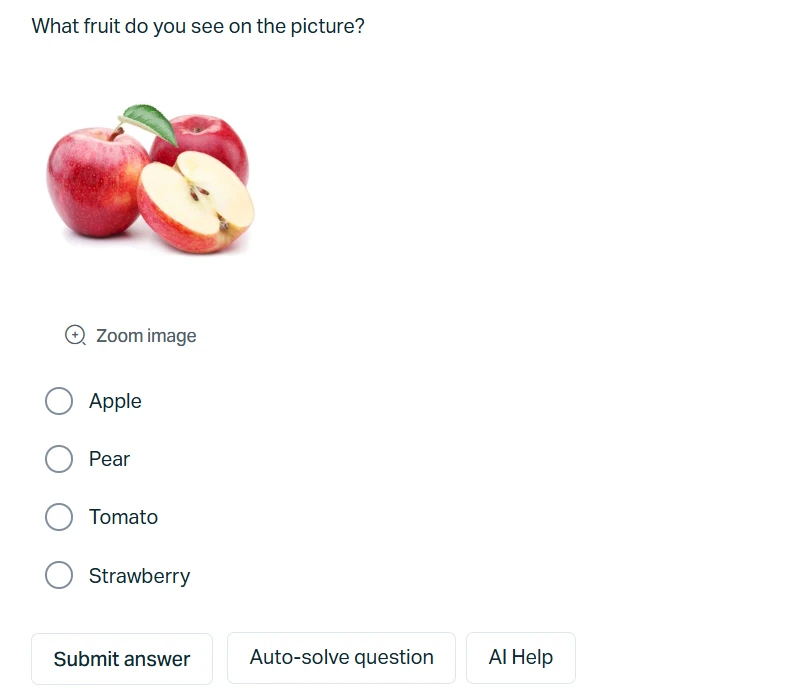
Help in one click
Luzak offers two kinds of help. The "Auto-solve question" button automatically selects the correct answer with AI. The "AI Help" button displays a text suggestion.
When you prefer discretion
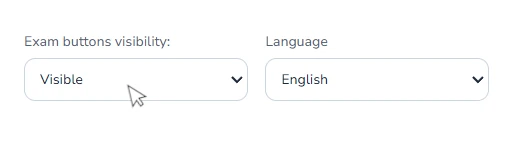
If you do not want to be caught using Luzak, you can make the buttons barely visible or hide them completely.
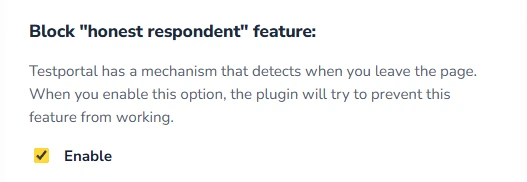
Block honest respondent
The extension includes a built-in feature that blocks Testportal's "honest respondent" function.
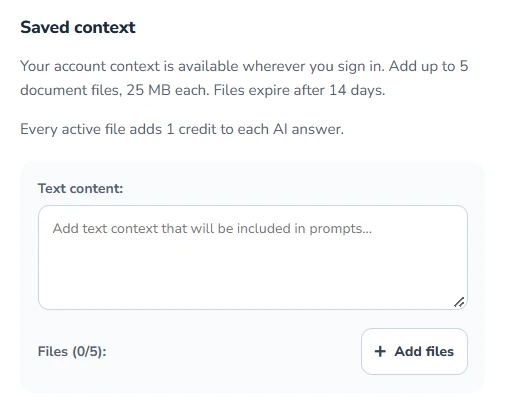
Add your notes
Have notes in PDF format or want to attach extra information for AI? No problem, Luzak lets you add additional information as text or up to 5 note files.